


My Card Wallet
4.71.42K Reviews
App Specs
- Version
- 7.3.3.g
- Updated On
- License
- Free
- Downloads
- 1,000,000+
- Developer
- Blackhawk Network
- Categories
- Finance
- Platform
- Android, iOS
Screenshots
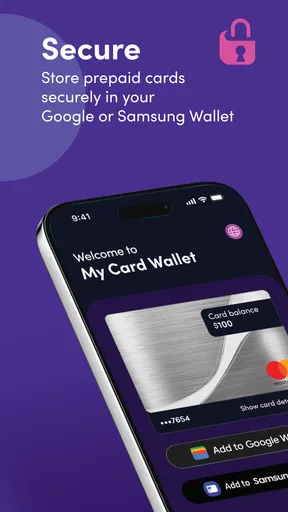
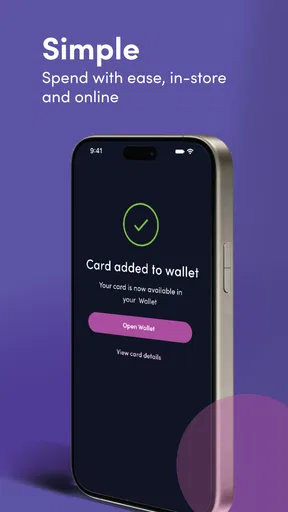
 Analysis by AppCompare
Choosing a digital wallet is less about collecting every card in one place and more about deciding what you need to do with them. I would start by asking whether I mainly want to keep prepaid cards organized, make eligible cards easier to reach at checkout, or replace a broader range of wallet functions. My Card Wallet is a finance app from Blackhawk Network built around managing prepaid cards and adding them to Google Wallet or Samsung Wallet. That focused purpose matters: it is most useful when prepaid cards are the part of your wallet I want to handle more conveniently.
Start with the job you need the app to do
Before installing a card-management app, I’d check which cards I actually use and what I want to happen when it’s time to pay. If my main frustration is remembering which prepaid card still has value, a dedicated place to manage those cards may be a better fit than a general-purpose wallet. If I mainly want to tap to pay with a bank card, the wallet app already built into my phone may be the more direct choice.
It also helps to separate card organization from payment acceptance. Keeping a card in an app does not, by itself, mean every shop will accept it through a phone. I would look at the card’s own terms and follow the app’s available steps before relying on it for an important purchase. That small check can prevent the awkward moment of discovering at the register that a card cannot be used the way I expected.
Where a prepaid-card focus can save effort
My Card Wallet is free, rated for Everyone, and has a 4.7 average from around 14,000 ratings. With over 1 million installs, it has found an audience among people looking for a straightforward way to manage prepaid cards. Those figures help establish its reach, but the real question for me is whether its narrow focus matches my routine.
A useful everyday case is receiving a prepaid card as a gift, setting it aside, then forgetting to bring it along when I want to use it. A dedicated app gives me a place to start organizing cards and a route to add them to Google or Samsung Wallet when supported. I would still keep the physical card until I know the digital setup works for that particular card and the places where I plan to spend it.
That is also why I see it as a companion rather than a universal replacement for every wallet. A phone wallet is convenient at checkout, while a card-management app can help with the steps around keeping prepaid cards together. Depending on the card and the wallet, those jobs may overlap, but they are not automatically the same.
Where other options may be better
If I mostly use a bank-issued debit or credit card, I would compare the app with the payment wallet already available on my phone. That may be the simpler option for everyday tap-to-pay use, since it keeps the routine close to the payment action. If I carry many kinds of cards, I would also decide whether a focused prepaid-card tool is enough or whether I need an organizer designed around a wider mix of cards and records.
Worth Reading Before You Choose

EA SPORTS FC Mobile 26 Is a Bigger Football Game, but It Takes Time

Flipboard Shows What News Apps Must Do Beyond the Feed

Switching to Android Auto Means Rethinking Your Driving Routine

Google Calendar Makes a Crowded Week Easier to Manage

Ludo King Makes the Most of the Minutes Between Plans

Baby Panda World Brings Quick Play to Modern Phones, but Its Game Library Feels Busy
There is a practical trade-off in choosing a specialist app: a more focused purpose can make the intended task easier to understand, but it may not cover every job I expect from a wallet. I would not install it just to store every document or assume it replaces a bank’s own app. For a prepaid card that I rarely use, keeping it in a safe place and checking its terms may be less effort than adding another app to my routine.
Living with My Card Wallet
Alright, so first things first, setting up My Card Wallet was a breeze. You download it from the app store, and it's like the app just guides you hand-in-hand through the initial setup. You create an account, and boom, you’re ready to start adding your cards.
The user interface is super intuitive, which I absolutely love. There's nothing worse than an app with a clunky design, right? Here, everything is laid out neatly, making it easy to navigate. You have a dashboard where all your cards are displayed, and a nifty little search bar at the top. It's almost like your card collection, but without the bulk!
Adding cards without losing track
Adding cards is as easy as pie. You just tap the 'Add Card' button, and you can either manually input the details or use the camera to scan the card. I tried both methods, and I must say, the scanning feature is pretty accurate. It picked up all the details and saved me a ton of time.
Once your cards are in, managing them is straightforward. You can sort them into categories like credit cards, loyalty cards, or IDs. I found this particularly useful because I have a bunch of loyalty cards that I can never keep track of. Now, they’re all neatly organized in one place.
For prepaid cards, I’d make a quick habit of checking each entry as soon as I add it. Scanning can save typing, but a fast review of the captured details helps catch a misread before I’m standing in line. I’d also keep the physical card until I have confirmed that the information I need is accessible and that any wallet-addition step has completed successfully.
Think carefully about what you store
One thing I was worried about was security. After all, you're storing sensitive information on your phone. But the app has got you covered with its robust security features. It uses encryption to keep your data safe and offers biometric authentication. I set mine up with a fingerprint, and it gives me peace of mind knowing my information is protected.
There's also a handy lock feature that automatically logs you out after a period of inactivity. I tested it by leaving the app open, and sure enough, I was logged out after a few minutes. It’s a small thing, but it really adds to the overall feeling of security.
Even with those protections, I would treat a phone holding card details as something worth securing in its own right. A screen lock and biometric access are sensible basics, and I would avoid sharing a device casually if I use it to manage cards. Before storing any particularly sensitive card, I’d read its terms and consider whether putting its details in an app is appropriate for how I use it.
Daily use and the small trade-offs
Using My Card Wallet daily is a smooth experience. The app is fast, and I didn’t encounter any glitches or crashes, which is a huge plus. It’s lightweight and doesn’t drain your battery, so you can leave it running in the background without worries.
One of my favorite features is the ability to share card details. You can send your card info to someone else securely, which is perfect for when you need to share loyalty points or membership details. It’s little touches like this that make the app stand out.
I’d use sharing selectively rather than treating it as a routine shortcut. Before sending anything, I would check exactly what information is being shared and whether the recipient genuinely needs it. For a household membership or a card used by more than one person, sharing can be practical; for a card tied to my personal spending, keeping access to myself is the safer, simpler choice.
One reasonable question is whether adding a card to Google or Samsung Wallet means I can stop carrying its physical version. I would not assume so. Compatibility and how a card works at checkout can depend on the card itself, so I’d test the digital option before leaving the plastic at home. Another question is whether the app is suitable for someone who does not use those phone wallets: its card-management purpose may still be relevant, but the wallet-addition benefit will matter less to that person.
Who I’d recommend it to
Blackhawk Network’s app is now at version 7.1.1.g, and it is free to install on devices running Android 11 or later. The release date was March 7, 2018, and the app has around 1,300 written reviews alongside its larger rating total. I would treat those store figures as background rather than a promise that every card or phone setup will behave identically.
I’d recommend it to someone who regularly handles prepaid cards and wants a more organized way to manage them, especially if adding eligible cards to a phone wallet fits their checkout habits. I’d be less likely to recommend it to someone who only wants a general payment app, never uses prepaid cards, or expects one tool to replace bank services and every kind of card storage. In those cases, the built-in wallet or the issuer’s own app may be a better match.
My final take
In conclusion, My Card Wallet is a game-changer for anyone looking to declutter their physical wallet and keep everything organized in one place. The app combines functionality with security, making it a must-have for the digital age.
If you’re like me and tired of fumbling through heaps of cards, give My Card Wallet a try. It's like having a personal assistant in your pocket, minus the awkward small talk!
Pros
- Intuitive user interface for easy navigation.
- Secure encryption for sensitive card details.
- Supports multiple card types and providers.
- Offline access to stored card information.
- Regular updates with new features and fixes.
Cons
- Limited support for international cards.
- No option for card scanning via camera.
- Ads can be intrusive in free version.
- Requires premium for advanced features.
- Occasional sync issues with cloud storage.
FAQs for My Card Wallet
What is My Card Wallet, and how does it work?
My Card Wallet is a digital wallet application designed to securely store and manage your digital cards, such as credit cards, membership cards, and loyalty cards. It uses encryption to protect your information and offers features like quick access, barcode scanning, and card categorization for easy management.
Is My Card Wallet secure for storing sensitive information?
Yes, My Card Wallet prioritizes security by employing advanced encryption techniques to protect your sensitive data. It also requires authentication, such as a PIN or biometric verification, to access the app, ensuring that your information remains private and secure from unauthorized access.
Can I use My Card Wallet offline?
Yes, My Card Wallet allows offline access to your stored cards, making it convenient to access your information without an internet connection. However, some features, like updates and syncing with cloud storage, will require an internet connection to function properly.
What types of cards can I store in My Card Wallet?
My Card Wallet supports a variety of card types, including credit and debit cards, membership and loyalty cards, gift cards, and identification cards. The app's flexible design allows you to customize and categorize your cards for easy access and management.
Does My Card Wallet have any integration with other apps or services?
Yes, My Card Wallet integrates with various apps and services to enhance functionality. For example, it can connect to payment services like Google Pay or Apple Pay for seamless transactions. It also supports barcode scanning for quick card addition and integration with cloud services for backup and synchronization.


